😩 The Problem Every Truth-Teller Faces
If you spend any time sharing content online — great articles, useful tutorials, or just trying to keep people informed — you know the frustration.
You find a perfect article that proves your point. You copy the link. You paste it on Facebook. Then someone on Twitter needs to see it. Copy, paste again. Then Bluesky. Then you want to email it to a friend. Copy, paste, copy, paste, copy, paste...
And that image that perfectly illustrates the point? Good luck finding it again in your Downloads folder three days later.
I got tired of it. So I built something better.
🎯 What Is ContentCapture Pro?
ContentCapture Pro is a free, open-source Windows application built with AutoHotkey v2 that lets you:
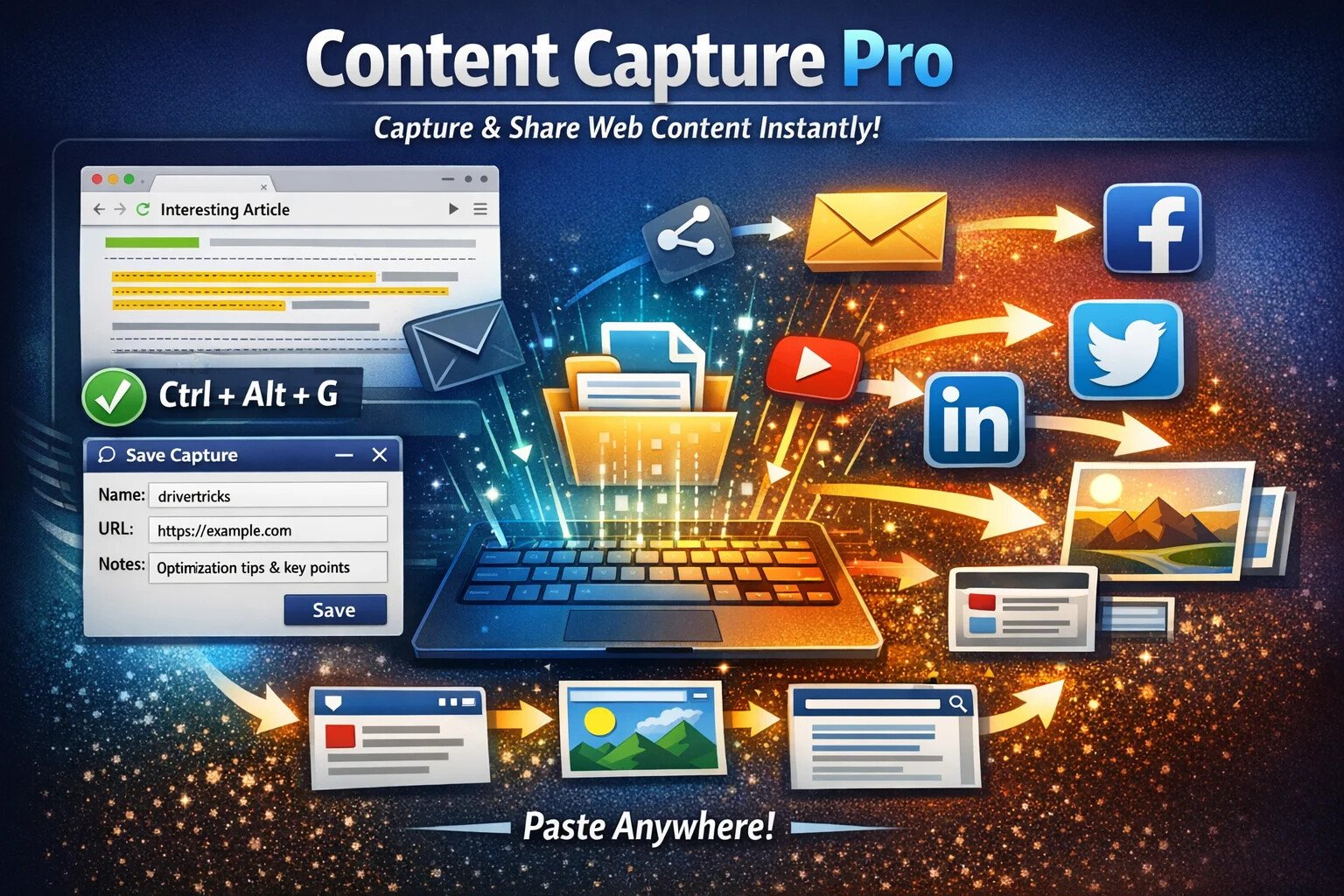
- Capture any webpage instantly — Press Ctrl+Alt+G on any webpage to save the URL, title, and any text you've highlighted
- Give it a memorable name — Call it something you'll remember, like "drivertricks" or "recipeideas" or "aboreturnpolicy"
- Recall it instantly anywhere — Just type that name and press space. The content appears. Done.
- Share to any platform — Add a suffix to share:
drivertricksfbfor Facebook,drivertricksxfor Twitter,drivertricksbsfor Bluesky - Email with one keystroke — Type
drivertricksemand Outlook opens with your content ready to send - Attach images — Save images with your captures and share them too
💡 No cloud accounts. No subscriptions. No data collection.
Everything stays on YOUR computer in simple text files you can read and edit yourself.
⚡ How It Works
Capturing Content
You're reading an article about Windows driver optimization tricks that you know you'll need again someday.
- Highlight the key tips
- Press Ctrl+Alt+G
- A window pops up with the URL, title, and your highlighted text already filled in
- Give it a name:
drivertricks - Click Save
That's it. Captured forever.
Using Your Captures
A week later, you're troubleshooting a computer issue. You don't have to hunt through bookmarks or search your browser history.
Just type drivertricks and press space.
The full content — your notes, the article text, and the link — pastes right into whatever you're typing in.
The Suffix System
Here's where it gets powerful. You don't just paste — you can take action:
| You Type | What Happens |
|---|---|
drivertricks | Pastes the full content |
drivertricksgo | Opens the URL in your browser |
drivertricksem | Creates an email with the content |
drivertricksfb | Prepares content for Facebook |
drivertricksx | Opens Twitter with your content |
drivertricksbs | Shares to Bluesky |
drivertricksli | Shares to LinkedIn |
drivertricksvi | Opens the capture for editing |
drivertricksrd | Shows content in a popup to read |
🖼️ NEW: Image Suffixes (v5.9.2)
Attach images to your captures and share them alongside your content:
| You Type | What Happens |
|---|---|
drivertricksimg | Copies attached image to clipboard |
drivertricksfbi | Facebook + your attached image(s) |
drivertricksxi | Twitter + your attached image(s) |
drivertricksbsi | Bluesky + your attached image(s) |
drivertricksemi | Email with image attachment |
🧠 Platform-Aware Intelligence
ContentCapture Pro knows each platform's rules and works with them:
| Platform | Image Limit | Character Limit |
|---|---|---|
| Facebook (posts) | Up to 10 images | 63,206 characters |
| Twitter/X | Up to 4 images | 280 characters |
| Bluesky | Up to 4 images | 300 characters |
| Up to 9 images | 3,000 characters | |
| Mastodon | Up to 4 images | 500 characters |
The system automatically respects these limits and warns you when your content is too long, offering to create a shortened version.
🎬 Smart Video Sharing
When you include video URLs in your captures, ContentCapture Pro knows to place them last in your content. Why? Because social media platforms display preview cards for the last link — putting your video URL last ensures the video thumbnail shows up as the preview, not a generic link icon.
📊 The Power of Accumulation
I've been using this system for years. I now have over 4,800 captures — articles, quotes, fact-checks, responses to common lies, research links, and more.
- When I need that recipe I loved, I type
pastarecipeand it appears - When someone asks about a tech fix, I type
win11fixand the solution pastes instantly - When I need to share a great video, I type
ahktutorialand it's ready to post
This isn't just a tool — it's a personal knowledge base that grows more powerful every day.
🔧 Features That Make It Special
🔬 Research Tools Built In
ContentCapture Pro isn't just for sharing — it's a research powerhouse. Add these suffixes to instantly launch research tools:
| Suffix | Tool | What It Does |
|---|---|---|
yt | YouTube Transcript | Extracts the full transcript from any YouTube video — perfect for quoting, searching, or analyzing video content without rewatching |
fc | Snopes Fact Check | Searches Snopes.com to verify claims and check if something has been debunked |
mb | Media Bias/Fact Check | Checks the bias rating and factual accuracy of news sources |
wb | Wayback Machine | Finds archived versions of pages — see what a site looked like in the past or recover deleted content |
gs | Google Scholar | Searches academic papers and peer-reviewed research on any topic |
av | Archive.today | Creates a permanent snapshot of any webpage — preserves content even if the original is deleted |
pp | Perplexity AI | AI-powered research assistant that searches the web and summarizes findings |
Example: You captured an article at healthclaim. Type healthclaimfc to fact-check it on Snopes, or healthclaimgs to find academic research on the topic.
AI Integration
ContentCapture Pro can connect to AI services to summarize your captures:
mypostsum — Summarizes with AI (supports ChatGPT, Claude, or local Ollama)
Searchable Browser
Press Ctrl+Alt+B to open a searchable browser of all your captures. Filter by tags, search by keyword, preview content with hover tooltips.
Automatic Backups
The system automatically backs up your captures to cloud drives (Dropbox, OneDrive) or USB drives. Never lose your knowledge base.
Character Limit Detection
When sharing to Twitter or Bluesky, the system warns you if your content exceeds the character limit and offers to create a shortened version.
🔒 Privacy Protection — Tracking Removal
When you capture URLs, ContentCapture Pro automatically strips tracking parameters that companies use to follow you around the web:
- YouTube links — Removes tracking IDs that identify your viewing session
- UTM parameters — Strips
utm_source,utm_campaign, and other marketing trackers - Facebook click IDs — Removes
fbclidtracking codes - Google click IDs — Removes
gclidtracking codes
When you share a link, your recipients get a clean URL — not one that tracks back to you or clutters their browser history with tracking garbage.
🛡️ Your Data Stays Yours
- 100% Local — All your captures are stored on your computer in plain text files
- No Account Required — No sign-ups, no logins, no cloud services
- No Telemetry — The app never phones home or sends usage data anywhere
- Fully Portable — Copy your folder to another computer and everything works
- Human-Readable Format — Your
captures.datfile is plain text you can open in Notepad
💾 Never Lose Your Work
- Auto-Backup — Automatically backs up to Dropbox, OneDrive, or USB drives when detected
- Manual Backup — One-click backup anytime you want
- Export to HTML — Export your entire collection as a browsable HTML file
- Crash Recovery — If something goes wrong, your data is safe in multiple locations
⚡ Built for Speed
- Instant Hotstrings — No lag, no delay — type and it appears
- Lightweight — Uses minimal system resources, runs in the background
- Fast Search — Find any capture instantly with the searchable browser (Ctrl+Alt+B)
- Hover Preview — See capture contents just by hovering over names in the browser
🤖 A Note About Claude AI
I need to be honest about something: I didn't build this alone.
ContentCapture Pro exists because of my partnership with Claude AI, created by Anthropic.
I'm not a professional programmer. I'm an AutoHotkey enthusiast who had a vision for what I wanted to build. Claude helped me turn that vision into reality.
Over hundreds of conversations, Claude and I:
- Designed the architecture
- Solved countless bugs
- Added feature after feature
- Converted the entire system from AutoHotkey v1 to v2
- Built the image sharing system
- Created the research tools
- Wrote the documentation
When I hit a wall, Claude helped me through it. When I had a new idea at 2 AM, Claude was there to help implement it. When something broke, Claude helped me fix it.
This project is proof of what's possible when human creativity and AI capability work together. I had the vision and the determination. Claude had the technical knowledge and infinite patience.
None of this would exist without Claude AI. I'm grateful every day for this collaboration.
💪 Why I Built This
I built ContentCapture Pro because I was tired of losing great content.
We find amazing articles, useful tutorials, important information — and then we lose it. Bookmarks pile up. Browser history gets cleared. That perfect quote you meant to save? Gone.
Sharing is even worse. Copy the link, paste it here, paste it there, find the image, upload it again...
ContentCapture Pro is my answer. Save it once. Use it forever.
Every article you capture is ready when you need it. Every tutorial you save is one search away. Every quote you preserve is waiting to be shared.
Build your knowledge base. Share what matters. Work smarter, not harder.
✨ What Makes ContentCapture Pro Different
🆓 Truly Free
No "free trial" tricks. No premium tier. No features locked behind a paywall. Everything is free, forever.
📖 Open Source
Every line of code is visible on GitHub. You can inspect it, modify it, learn from it, or contribute to it.
🔒 Privacy First
Your data never leaves your computer. No accounts, no cloud sync, no analytics, no tracking.
🛠️ Actively Developed
Regular updates with new features. Built by someone who uses it every single day.
📚 Well Documented
Comprehensive guides, suffix references, and this very page to help you get the most out of it.
🤝 Community Supported
Active AutoHotkey community, GitHub issues for bug reports, and responsive development.
📥 Get ContentCapture Pro — FREE
Free and open source. No subscriptions. No data collection. No strings attached.
Download on GitHubRequirements
Windows 10 or 11 • AutoHotkey v2 (included in installer)
Installation
- Download the ZIP from GitHub and extract it
- Right-click
install.batand select "Run as administrator" - Follow the on-screen prompts
- The script starts automatically — look for the icon in your system tray
Your First Capture
- Visit any webpage you want to save
- Highlight any text you want to include (optional)
- Press Ctrl+Alt+G
- Give it a short, memorable name
- Click Save — done!
- Now type that name anywhere + space to paste it
🎬 Video Tutorials Coming Soon!
I'll be adding video demonstrations showing:
- • Basic capturing and pasting
- • Using suffixes for different actions
- • Attaching and sharing images
- • The searchable browser
- • Research tools
- • Tips and tricks from years of use
🤝 Join the Community
Questions? Ideas? Found a bug?
- GitHub Issues: Report bugs or request features
- AutoHotkey Forums: Join the discussion
- This Site: Comment below!
🙏 Final Thoughts
I've been using ContentCapture Pro every single day for years. It's changed how I interact with the internet. It's made me more effective at sharing information. It's saved me countless hours.
And now it's yours — for free.
Download it. Try it. Build your own knowledge base. And when you find that perfect article that everyone needs to see, you'll be ready to share it everywhere with a few keystrokes.
Great content deserves to be shared. Let's make it easier.
ContentCapture Pro is dedicated to everyone who shares knowledge, one post at a time.