CrisisOfTruth.org | WindowsSpy -- The Windows 11 Files | Fact-Checking · Media Accountability · Digital Rights
Investigative Report · Digital Rights · Windows 11

The Windows 11
Files

Microsoft built surveillance directly into your operating system — turned on by default, buried in settings, and never clearly disclosed. Here is the documented truth, and free tools to take back control of the computer you paid for.

Published by CrisisOfTruth.org Category: Digital Rights / Windows 11 Tools: Free Download Below
Legal Disclaimer — Read Before Proceeding

The information, scripts, and tools provided on this page are published strictly for educational and informational purposes. CrisisOfTruth.org and its author(s) make no warranties — express or implied — regarding the accuracy, completeness, fitness for purpose, or results of applying any information or running any script found here.

You use all tools and information at your own sole risk. Modifying Windows registry settings, disabling services, or running system scripts can cause software incompatibility, system instability, data loss, or other unintended consequences. CrisisOfTruth.org, its contributors, and any affiliated parties accept no liability whatsoever for any direct, indirect, incidental, or consequential damages arising from the use or misuse of anything on this page.

Before running any script, create a full system backup or restore point. These tools are provided as-is with no guarantee of merchantability or fitness. By downloading or using them, you agree that you alone are responsible for the outcome on your system. If you are unsure, consult a qualified IT professional.

All documented Windows features referenced here are publicly verified. This page represents the editorial opinion of CrisisOfTruth.org based on documented Microsoft product behavior. It is protected speech under the First Amendment of the United States Constitution.
Position Statement — CrisisOfTruth.org

“Microsoft has no business knowing what you do on your computer. Not what you search. Not what you type. Not what appears on your screen. Not where you go online. This is your machine. They sold it to you. That transaction was supposed to end there.”

CrisisOfTruth.org

Your privacy is not a feature. It is not optional. It is not something a corporation gets to trade away on your behalf in exchange for a more “personalized experience.” What follows is a documented record of exactly what Microsoft has done — and continues to do — to the people who trusted them with their most personal tool. Read it. Share it. Fight back.

Share this — spread the word

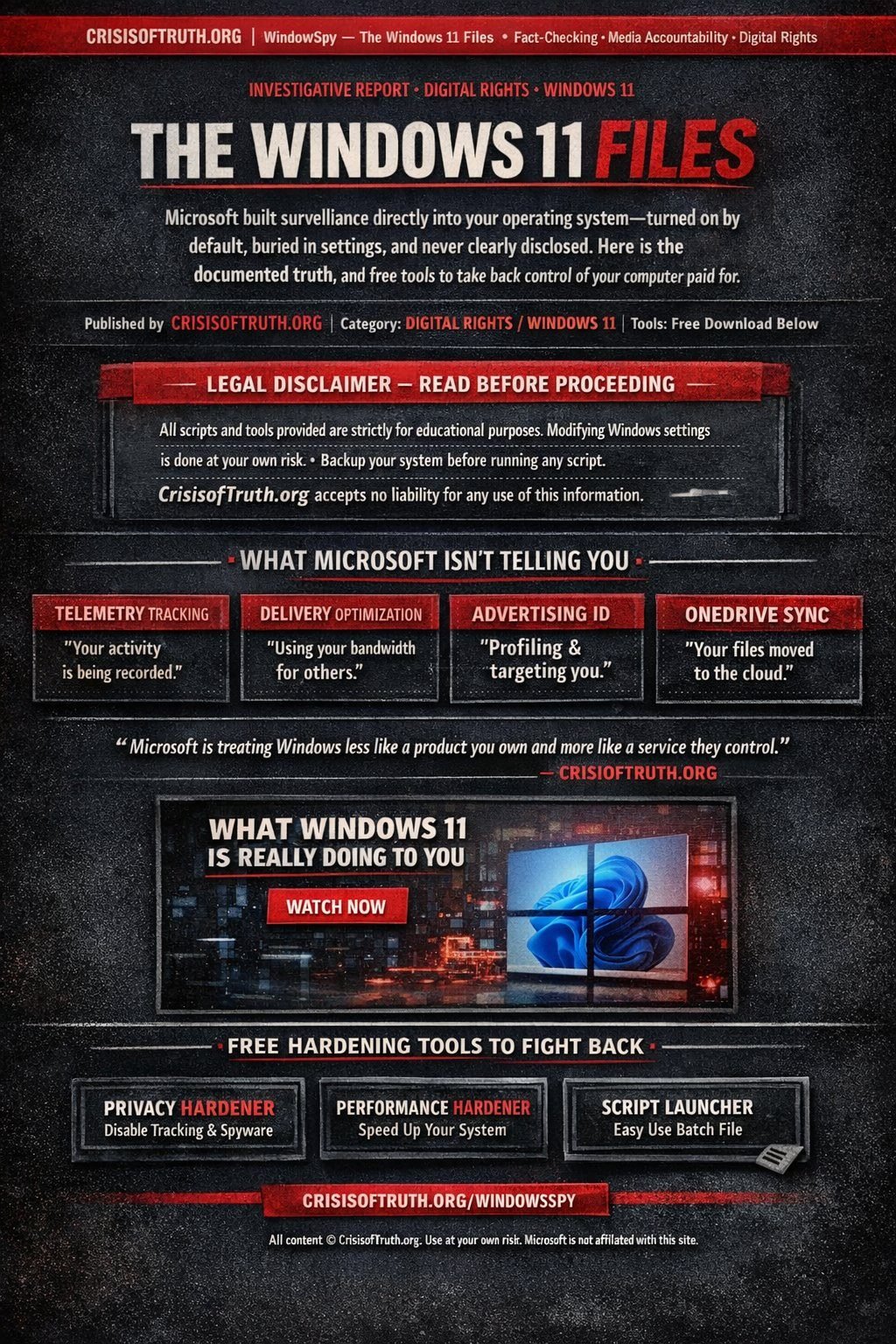
Screenshot or save this infographic and share it anywhere — Facebook, X, Reddit, text it to someone. The more people who know, the better.

The Windows 11 Files infographic — CrisisOfTruth.org — What Microsoft isn't telling you about Windows 11 privacy, telemetry, and surveillance
↓ Download & Share Share on Facebook Share on X

Click image to download • Free to share with attribution to crisisoftruth.org/windowsspy

What Microsoft isn't telling you

Every feature below is real, documented, and enabled by default in Windows 11. Microsoft mentions some in fine print. They advertise none of it. Most users have no idea any of it exists.

Active Now

Telemetry — Your every action is logged and transmitted

Windows 11 continuously logs your clicks, app usage, search queries, and browsing activity in Microsoft Edge and sends it to Microsoft's servers. They call it "diagnostic data." The critical detail: you cannot turn it off completely. Microsoft removed that ability starting with Windows 10. The best you can do on Home and Pro editions is reduce it to "Required" — which still sends device specs, settings, and performance data. Only Enterprise/Education licenses can set telemetry to zero.

Active Now

Delivery Optimization — Your bandwidth is their CDN

By default, Windows 11 uses your internet connection — the one you pay for — to upload Microsoft update files to strangers on the internet via peer-to-peer networking. This is called Delivery Optimization and it runs silently in the background. If your internet feels slow for no reason, this may be why. Microsoft does not prominently disclose this feature because they know most people would disable it immediately if they understood what it was doing.

Active Now

Advertising ID — Your usage profile, sold to advertisers

Windows 11 assigns each user an advertising ID and tracks their app usage, browsing habits, and behavioral patterns to build a profile used for targeted advertising. This is enabled by default. The ads appear inside your Start menu, lock screen, File Explorer, and Settings app. You paid for the operating system. Microsoft profits from it again by selling access to your attention and behavioral data.

Active Now

Activity History — A complete log of your digital life

If you sign into Windows with a Microsoft account, Activity History records every website you visit, every document you open, and every app you use — across all your devices — and syncs it to Microsoft's cloud servers. Microsoft says this is to help you "pick up where you left off." What it actually means is that Microsoft maintains a detailed timeline of your digital activity on their servers, indefinitely.

Active Now

OneDrive — Your files moved to Microsoft's cloud without consent

Windows 11 aggressively redirects your Desktop, Documents, and Pictures folders to OneDrive cloud storage — often without clearly asking permission first. This means files you think are saved locally on your own hard drive are actually uploaded to and governed by Microsoft's servers. Users regularly discover files have disappeared when their free OneDrive storage fills up. Your hard drive. Their cloud. Their terms.

Active Now

Forced Edge — Anti-competitive browser pushing

Even after you set Chrome, Firefox, or any other browser as your default, Windows 11 overrides that setting for certain system links — opening them in Microsoft Edge regardless of your preference. Microsoft was sued for identical behavior with Internet Explorer in the 1990s, resulting in one of the largest antitrust cases in tech history. They are doing it again. The European Union has taken notice.

Newer Systems

Windows Recall — Screenshots of everything, forever

On Copilot+ PCs (newer AI-capable hardware), Microsoft introduced Recall — a feature that takes a screenshot of your screen every few seconds and stores them in a searchable local database. This means every password you type, every private message, every bank statement that appears on your screen is captured and stored. Microsoft initially planned to enable this by default. After massive public backlash, they made it opt-in on Copilot+ hardware. The infrastructure, however, remains in Windows and can be re-enabled.

Active Now

Bloatware — Pre-installed apps you never agreed to

Fresh installations of Windows 11 come pre-loaded with Candy Crush, Disney+, TikTok, Spotify, and other third-party apps you never requested. These apps exist because Microsoft has paid sponsorship deals with these companies. After major Windows updates, some of these apps reinstall themselves even after you've removed them. You are paying for an operating system that ships as a vehicle for third-party advertising.

"Microsoft is treating Windows less like a product you own and more like a service they provide — which means they feel entitled to collect your data, show you ads, and make decisions about your computing experience based on what benefits them."

— CrisisOfTruth.org Editorial Position
Watch — What Windows 11 is really doing to you

Video content is the property of its respective creator. Embedded here for public interest and educational purposes.

Microsoft's documented improprieties

This is not a political opinion. This is a documented record of deliberate decisions Microsoft made — and continues to make — without the meaningful consent of the people who paid for their product.

Every item below is verifiable. None of it is accidental. All of it is still happening today.

Spying on you through your own operating system Active Now

Windows 11 continuously logs your clicks, keystrokes, app usage, search queries, and browsing activity — then transmits that data to Microsoft servers. You never agreed to this in any meaningful sense. It was enabled by default and buried under settings most people never find. Microsoft calls it "diagnostic data." Any honest description would call it surveillance.

Removing your right to opt out completely Active Now

In Windows 7 and 8, you could fully disable telemetry. Microsoft quietly removed that option starting with Windows 10 and carried it forward into Windows 11. On Home and Pro editions, there is no zero-telemetry setting. They decided — without asking you — that some level of data transmission to their servers is mandatory. You have no legal recourse and no technical escape on standard editions.

Selling advertising space inside software you already paid for Active Now

Microsoft collects an advertising ID for every Windows 11 user and uses your behavioral data to serve targeted advertisements — inside your Start menu, lock screen, File Explorer, and Settings app. You purchased this operating system. They are selling your attention again to third parties. This is double-billing the consumer: once at purchase, once with your privacy.

Conscripting your internet connection without consent Active Now

Delivery Optimization uses your personal internet connection — that you pay for monthly — as a peer-to-peer upload node to distribute Microsoft's update files to strangers on the internet. This is enabled by default. Microsoft profits from your bandwidth at your expense. They do not prominently disclose this because they know the overwhelming majority of users would disable it if they understood what was happening.

Building a searchable record of your entire digital life Active Now

Activity History logs every website you visit, every document you open, and every app you use — across every device signed into your Microsoft account — and syncs it to Microsoft's cloud servers. Windows Recall on Copilot+ PCs goes further: it takes a screenshot of your screen every few seconds and stores them in a searchable local database. Every password. Every bank statement. Every private message. Photographed and indexed. Microsoft called this a feature.

Moving your personal files to their servers without clear consent Active Now

Windows 11 aggressively redirects your Desktop, Documents, and Pictures folders to OneDrive cloud storage — Microsoft's servers — often during initial setup without a clear, prominent disclosure of what is happening. Files you believe are stored locally on hardware you own are actually uploaded to and governed by Microsoft's Terms of Service. Users routinely discover their files are gone when their free OneDrive storage cap is reached.

Repeating anti-competitive browser tactics they were sued for in the 1990s Active Now

Even after a user sets Chrome, Firefox, or any other browser as their default, Windows 11 overrides that preference for certain system links and forces them to open in Microsoft Edge. The U.S. Department of Justice successfully prosecuted Microsoft for this exact behavior with Internet Explorer. They paid a massive legal price. They learned nothing. The European Union is investigating the same conduct again today.

Installing software on your machine you never requested and never wanted Active Now

New Windows 11 installations ship with Candy Crush, TikTok, Disney+, Spotify, and other third-party apps pre-loaded through paid deals between Microsoft and those companies. After major Windows updates, previously uninstalled bloatware can silently reinstall itself. Your computer ships as an advertising delivery platform. The operating system is secondary.

Forcing mandatory updates with no user control over timing or content By Design

Windows 11 does not allow you to permanently disable Windows Update. Microsoft can and does push changes to your operating system on their schedule, not yours. Updates have introduced new privacy-invasive features, reset user preferences, broken software, and altered system behavior — all without asking permission. You own the hardware. Microsoft controls what runs on it.

Requiring a Microsoft account and internet connection to use your own computer By Design

Windows 11 Home edition requires an internet connection and a Microsoft account to complete setup — deliberately making it difficult to create a local, offline account. This is not a technical necessity. It is a data collection strategy. Microsoft wants your identity, email, and usage data tied to their ecosystem from the moment you first power on a machine you paid for.

Stripping away customization and control that existed in previous versions By Design

Windows 11 removed the ability to move the taskbar, reduced multi-monitor taskbar options, eliminated right-click access to Task Manager, broke drag-and-drop onto taskbar buttons, reset file associations after updates, and locked down registry settings that power users relied on for years. None of these were technical limitations. They were deliberate choices to reduce your control over your own machine.

Locking millions of working computers out of the upgrade path By Design

Microsoft's TPM 2.0 and CPU generation requirements for Windows 11 rendered millions of fully functional, high-performance computers ineligible for the official upgrade — forcing users to either buy new hardware or run an unsupported workaround. The stated reason was security. The actual effect was accelerating hardware sales and tightening Microsoft's control over the certified device ecosystem.

Introducing AI surveillance features with no meaningful public debate Expanding

Microsoft is embedding AI systems into Windows 11 that analyze your behavior, suggest actions, and — through Recall — create a permanent searchable record of everything you do on your screen. These features were designed, built, and nearly shipped as opt-out defaults before public pressure forced a partial retreat. The infrastructure remains. The direction is clear. The person who paid for the computer was never part of the conversation.

Using your computer's resources to run Microsoft's background operations Active Now

SysMain preloads Microsoft-selected data into your RAM. DiagTrack runs continuously collecting and transmitting data. Delivery Optimization uses your disk and network. Scheduled telemetry tasks run on their timeline. A meaningful portion of your CPU cycles, RAM, disk I/O, and internet bandwidth on any given day is being consumed by Microsoft's background operations — on hardware you own, running software you paid for, doing work that benefits them, not you.

"Microsoft has no business knowing what you do on your computer. Not what you search. Not what you type. Not what appears on your screen. Not where you go online. This is your machine. They sold it to you. That transaction was supposed to end there."

— CrisisOfTruth.org

Free hardening tools

These PowerShell scripts were written specifically to address every documented issue above. They are free, open, auditable — every line does exactly what it says. No installers. No accounts. No phone home.

Before running any script: Create a full Acronis or Macrium backup, or at minimum a Windows System Restore point. See the disclaimer above. You run these at your own risk.

Privacy Hardener

Disables telemetry, advertising ID, Activity History, Delivery Optimization, Cortana, OneDrive sync, forced Edge, Windows Recall, location tracking, and more. Interactive menu — apply all or pick categories.

Telemetry Off Ads Disabled OneDrive DNS → 1.1.1.1 Recall Blocked
Download — Win11PrivacyHardener.ps1

Performance Hardener

Activates Ultimate Performance power plan, kills SysMain disk thrashing, optimizes TCP/network stack, disables Game Bar, enables HAGS, cleans temp files, removes bloatware, speeds up boot and UI animations.

Ultimate Perf SysMain Off Network Tuned Game Bar Off Boot Speed
Download — Win11PerfHardener.ps1

Launcher (Batch File)

Double-click launcher for both scripts. Handles UAC elevation automatically — no need to manually open an administrator prompt. Place all three files in the same folder.

Auto-Elevate Menu Driven No Install
Download — RunHardener.bat

How to run these scripts

  1. Create a backup first. Acronis, Macrium Reflect, or Windows System Restore — do not skip this step.
  2. Download all three files into the same folder on your Desktop.
  3. Double-click RunHardener.bat. Windows will ask for Administrator permission — click Yes.
  4. Choose option 1 in each script's menu to apply all tweaks, or select individual categories.
  5. Reboot your computer. Most changes require a restart to take full effect.

Manual privacy checklist

Prefer to do it yourself? Work through this list in Windows Settings. Click each item to mark it done.

Minimize telemetry data. Settings → Privacy & security → Diagnostics & feedback → set to Required diagnostic data only. Turn off Tailored experiences.
Disable Advertising ID. Settings → Privacy & security → General → turn off Let apps show me personalized ads.
Clear and disable Activity History. Settings → Privacy & security → Activity history → uncheck all, then click Clear history.
Turn off Start menu suggestions. Settings → Personalization → Start → disable Show recommendations.
Unlink OneDrive from system folders. Right-click OneDrive tray icon → Settings → Account → Unlink this PC.
Disable Delivery Optimization. Settings → Windows Update → Advanced options → Delivery optimization → disable Allow downloads from other PCs.
Audit app permissions. Settings → Privacy & security → review Camera, Microphone, Location — revoke anything that doesn't need it.
Remove bloatware. Settings → Apps → Installed apps → uninstall Candy Crush, Disney+, TikTok, Xbox apps you don't use.
Switch to a privacy-respecting browser. Download Firefox or Brave. Install uBlock Origin. Set as your default browser.
Change your DNS to Cloudflare. Settings → Network & internet → your adapter Properties → set DNS to 1.1.1.1 and 1.0.0.1.

The bottom line

Microsoft has made a deliberate business decision to transform Windows from a product you own into a platform they operate. Every default setting described on this page was chosen intentionally. None of it is accidental. None of it primarily benefits you.

This is not a conspiracy theory. It is documented product behavior from one of the wealthiest corporations in human history, applied to an operating system running on over a billion devices worldwide. The scale of the data collection happening right now, on machines owned by ordinary people who have no idea, is unprecedented in the history of consumer technology.

You have a right to know what your computer is doing. You have a right to control it. And you have every right to be angry about the fact that you have to fight for that control on a machine you already paid for.

Share this page. Use the tools. Tell people what is happening.

— CrisisOfTruth.org
Fact-Checking · Media Accountability · Digital Rights